
Download Google Wave Add-on for Firefox – Real-time Notifications, Status Bar Integration, Customizable Refresh Rate
Overview
The Google Wave Add-on for Firefox was designed as a browser extension to enhance real-time communication for users with access to a Google Wave account. Its primary purpose is to deliver instant updates directly within the Firefox browser interface, ensuring users remain informed without needing to switch between tabs or applications. This tool addresses the challenge of staying synchronized with dynamic collaborative content, particularly in fast-paced environments where timely responses are critical. The target audience includes professionals, project teams, and early adopters of Google Wave who rely on immediate visibility into message changes, edits, and contributions across shared waves.
While the developer background is not specified beyond the association with Google, the extension’s integration with a now-discontinued platform reflects its historical significance in the evolution of collaborative tools. Real-world use cases include team coordination during live document editing, rapid feedback loops in design workflows, and managing group discussions in real time. Despite Google Wave’s eventual discontinuation, the add-on remains a notable example of browser-based real-time synchronization tools and represents an early attempt to unify communication and collaboration within a single interface. The extension contributed to the broader ecosystem by demonstrating the potential of lightweight, non-intrusive extensions to improve user engagement with cloud-based collaborative platforms.
Key Features & Functionality
- Real-time Notifications: The add-on delivers instant alerts whenever new messages or changes occur in a Google Wave. This ensures users never miss critical updates, enabling immediate response and maintaining momentum in collaborative workflows.
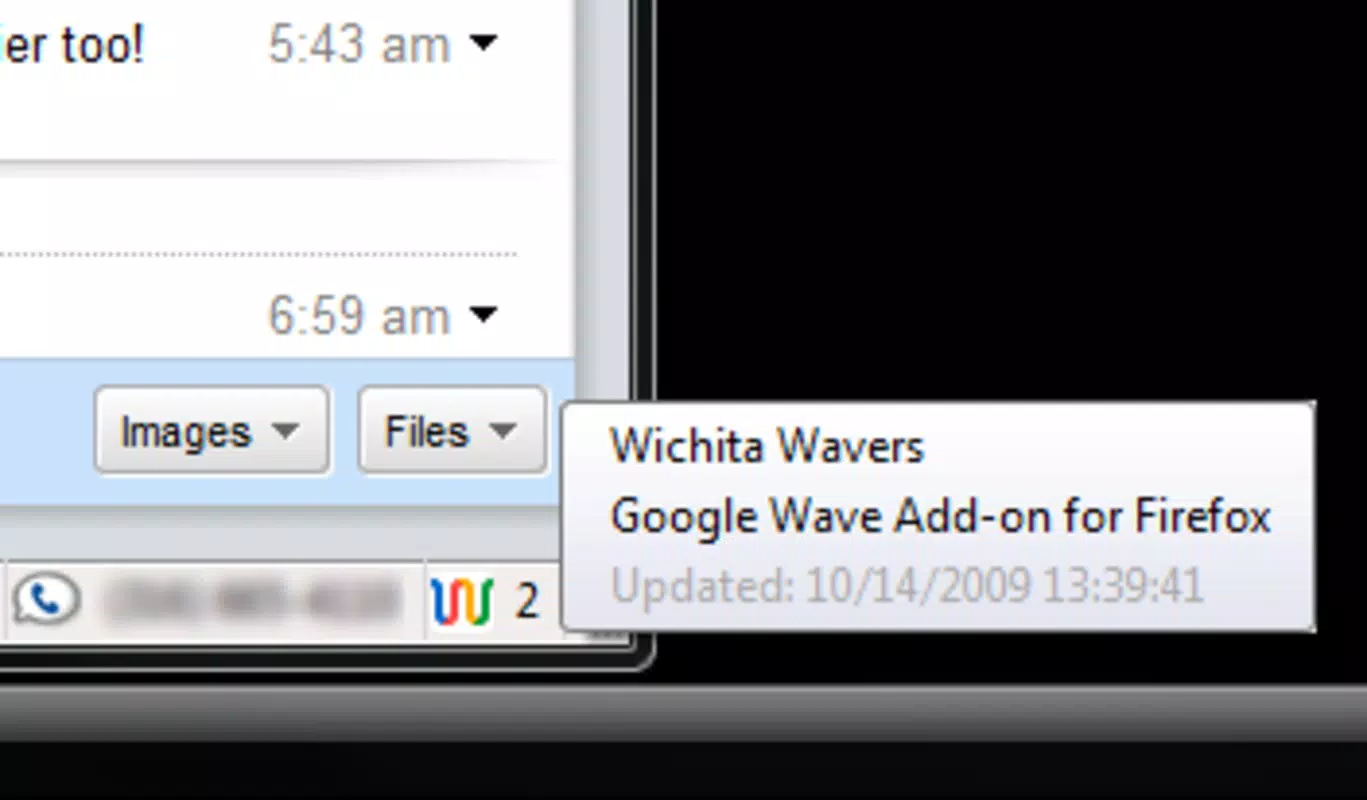
- Status Bar Integration: Designed to appear in the Firefox status bar, the extension provides a discreet yet accessible notification system. This integration allows users to monitor wave activity without disrupting their current tasks or requiring constant tab switching.
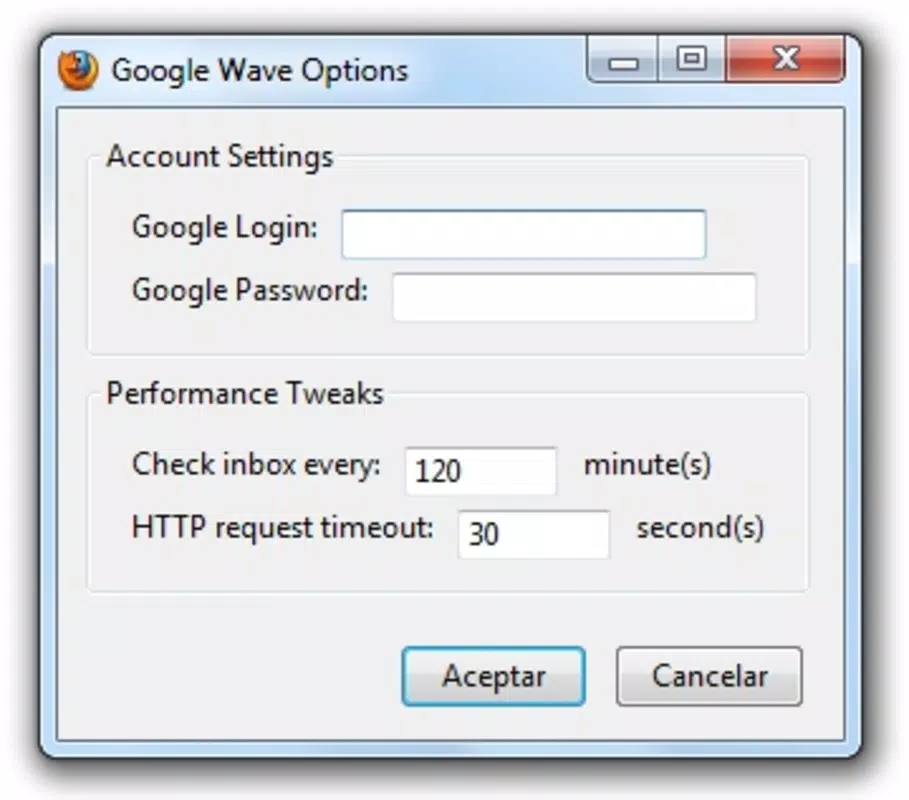
- Customizable Refresh Rate: Users can adjust how frequently the extension checks for updates, offering flexibility to balance responsiveness with performance. This feature supports diverse user preferences, from high-frequency monitoring to reduced polling for lower bandwidth usage.
- User-friendly Interface: The setup and configuration process is straightforward, with intuitive controls accessible through the Firefox add-on menu. Even users with limited technical experience can navigate settings and tailor the extension to their workflow.
For example, a team lead managing a live design review can use the customizable refresh rate to check for updates every 30 seconds, ensuring they don’t miss feedback. Meanwhile, a remote contributor might set the interval to every 5 minutes to minimize distractions while maintaining awareness. The seamless integration with Firefox’s interface makes it ideal for users who prioritize efficiency and minimal context switching.
Interface, UX & Performance
The user interface of the Google Wave Add-on for Firefox is minimal and purpose-driven, aligning with Firefox’s design philosophy of lightweight extensions. It operates primarily through the status bar, where a small icon indicates the current status of connected waves—such as new messages or pending edits. This unobtrusive layout ensures that the user’s focus remains on core tasks without visual clutter.
Navigating the extension’s settings is straightforward, with options accessible via the Firefox add-ons manager. The layout is clean, with clearly labeled controls for adjusting the refresh interval and enabling/disabling notifications. Although the developer did not list formal performance metrics, the extension appears optimized for low resource consumption, typical of browser-based tools of its era. It does not significantly impact browser responsiveness or memory usage during regular operation.
Performance is expected to vary based on the user’s internet connection and the number of active waves. However, the design suggests it functions efficiently on standard desktop systems with stable network access. Stability is assumed given its long-standing presence in the Firefox ecosystem, though no official updates have been released since the platform’s discontinuation. The add-on remains functional within supported Firefox versions, maintaining reliability for users still accessing archived wave data.
Platform Compatibility & Technical Requirements
The Google Wave Add-on for Firefox is designed specifically for the Firefox web browser. The developer did not specify the minimum OS requirements or exact version compatibility. However, based on its release date of October 16, 2009, it was intended for Firefox versions available at that time, likely 3.5 or later.
The file size of the extension is not publicly disclosed. Users should expect a lightweight download typical of browser add-ons from that period. Compatibility with modern Firefox versions is uncertain, as the extension was developed during an era when browser APIs and security standards were less stringent. The developer did not provide updated compatibility information or migration paths for newer platforms.
Pros and Cons
Pros
- Delivers real-time notifications for Google Wave updates directly in the browser.
- Integrates seamlessly into the Firefox status bar for unobtrusive monitoring.
- Offers customizable refresh frequency to suit different workflow needs.
- Features a simple, intuitive interface suitable for non-technical users.
Cons
- Not compatible with modern Firefox versions due to outdated APIs and security policies.
- Requires access to a Google Wave account, which is no longer available.
- Development and support have ceased since the platform's discontinuation.
- File size and exact system requirements were not disclosed by the developer.
FAQ
Is the Google Wave Add-on for Firefox still functional today?
The extension may still operate on older Firefox versions, but its functionality is limited due to the discontinuation of Google Wave. No active updates or support are available.
Can I install this add-on on Chrome or Edge?
No, the Google Wave Add-on for Firefox is designed exclusively for the Firefox browser and is not compatible with Chrome, Edge, or other browsers.
Does the add-on require a Google account?
Yes, access to Google Wave—on which the add-on operates—requires a valid Google account. However, Google Wave is no longer available for new users.
Is the add-on secure to install?
While the extension was safe when released in 2009, modern browsers block extensions with outdated security standards. Installing it on current systems poses potential risks due to lack of updates and compatibility.
How do I update the add-on?
There are no current update mechanisms available, as the developer has not released any updates since the platform’s shutdown. The extension remains in its original state.
Final Thoughts
The Google Wave Add-on for Firefox was a pioneering tool in the realm of real-time collaboration, offering a streamlined way to stay informed about dynamic content within a browser environment. Its integration with the Firefox status bar and customizable refresh settings made it a valuable asset for early adopters of Google Wave. While the platform itself is no longer active, the extension remains a testament to the power of lightweight, user-focused browser tools.
Today, the add-on holds historical significance rather than practical utility. It is best suited for users exploring archival data or studying the evolution of collaborative software. For modern users seeking similar functionality, alternative tools with active support and updated security standards are recommended.
Download Google Wave Add-on for Firefox now


